Мой отзыв на человеческую клавиатуру
Последний час я был занят тем, что писал отзыв про мою новую потрясающую клавиатуру на Алиэкспресс. Он пока что на модерации по ходу, надеюсь попозже станет доступным.
В общем, если кратко, то заебись, чотко, ахуенно. А дальше цитирую:
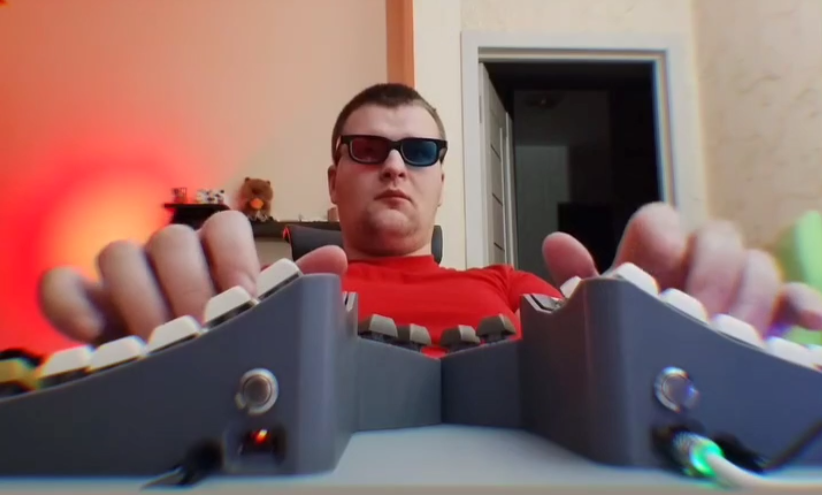

App for setup is called VIAL!
It is a website where you can remap everything without compiling and stuff.
Pros:
1) Switches are tactile. They are comfortable to press and pleasant to hear.
2) Magnetic attachable hand supports are very handy to have.
3) Having x8 more keys instead of one big spacebar is very useful and effective
4) Setting up your keyboard with layers, combos and stuff gives you tons of options for customization and optimization your workflows. The philosophy here is the same as Valve did with Steam Input.
5) Its nice that shop also send you all the rest keycaps from the set they used to assemble your keyboard. So you have a lot of options to also customize keycaps which i did in the first evening. That helped me to solve language problem, because my language have a little bit more letters then English.
6) Setting up everything with Vial is extremely easy and painless. No need to install anything. One 20 min video on Youtube was enough for me to understand what is going on here.
7) switches can be easily swapped. So im not worrying that most common buttons will wear out quicker than other.
8) rgb lightning is pretty good to my eye
9) rgb controls and media controls are not hard coded into keyboard and you can choose any key on any layer to control it. Or even not use them at all.
Cons:
1) Keyboard has no name 😭 No name on the sale page, no name on the keyboard. Even the person that is messaging from shop account doesn’t know how it is called. idk why our Chinese friends don’t give proper names to their products. That is a big flaw, because you can not google a thing about it. You can not tell your friends how does this keyboard called or who did made it. What is a company name. Only shop name and link on aliexpress. That is why
2) I spent about one and a half hour to find out what software should i use to set everything up. There is no user manual in the box. No QR code with software link or user manual and no paper manual. I tried every software from the google until i found Vial. Yeah, it is written down in the product name but how should a person unfamilliar with custom keyboards know that vial is the name of the software for keyboard? And without manual im still not sure for back metallic buttons on the back panels for. Google tells me it is for setting keyboard up but Vial works without it so it is unclear.
3) There is nothing to prevent keyboard from slipping on the flat table. And due to its curvature you are very likely to push keyboard to the side while you pressing it. I put silicone rubber pad under it and not its okay but id prefer there was some anti slippery stuff by desing. Or maybe at least some stickers.
4) pretty visible and rough 3d printer texture on the plastic. It means close to nothing to me. But i think it could be a problem for somebody who it craving for beautiful computer aesthetics.
5) some keycaps was not completely put on the switches but it is not a big deal at all, takes 30 seconds to press everything down.
6) for some reason there is no «media pause» in the Vial and «media play» function doesn’t work. So you can stop music with your keyboard using «media stop» function but you can not resume it?.. maybe im missing something and i just didn’t find that option yet.
This is my first splitted, first ortholinear and first curved keyboard so i really didn’t know what to expected but i was positive about that because it seems that this is the way that keyboards should be.
And now after day of using it i want to say:
I love it. It is very unusual and cool. Hand position is much more comfortable. Fingers don’t need to go diagonal any more. Erasing wrong symbols is much easier with thumb. Now when keys are moved from their usual places i slowed down in my typing very noticably. Need some time to get used to new layout. I can already say that some keys are very much comfortable to press with that layout. I will probably need second one custom keyboard for my office work 🙂
