Why do you get different wallet addresses using the same seed phrase? And how to access your correct address?
Why a “Different” Wallet Appears When Importing a Seed Phrase
Short version
The same seed phrase can generate MANY different wallets.
Which wallet you see depends on two things:
If either one is different from the original setup, the resulting wallet address will be different.
What’s happening technically (in simple words)
1️⃣ A seed phrase ≠ one wallet
A seed phrase is not a single address.
It is the root of a key tree.
From one seed phrase, an entire tree of wallets can be generated:
Seed
├── Path A → Wallet A
│ ├── Legacy
│ ├── SegWit
│ └── Taproot
├── Path B → Wallet B
├── Path C → Wallet C
└── Path D → Wallet D
Each branch produces a different set of addresses —
and all of them are valid.
2️⃣ What the “4 paths” mean during import
When OP_Wallet shows 4 derivation paths, these represent:
- Different standard derivation paths
- Historically established schemes
(different wallets and standards use different paths)
👉 Same seed + different path = different wallet
This is expected behavior in hierarchical deterministic (HD) wallets.

3️⃣ What the “4 address types” mean
These are different Bitcoin address formats derived from the same key:
- Legacy (P2PKH) — old format
- Nested SegWit (P2SH-P2WPKH) — transitional format
- Native SegWit (P2WPKH) — modern format
- Taproot (P2TR) — newest format
website https://opnet.org/portal can be tied to a specific address format.
- The wallet may exist
- But login to the portal fails — because the address format is not the one expected
The root cause (key explanation for the guide)
When restoring a wallet using a seed phrase, you must select the same derivation path and the same address type that were used when the wallet was originally created.
If different parameters are selected, a different wallet will be generated — even with the same seed phrase.
Why users have to “try different options”
- Most users don’t know which path or address type was used originally
A seed phrase is not an address - it's the key to a building.
The derivation path is the floor.
The address type is the door.
To enter your apartment, you must open the same door on the same floor as before.
is not a bug, but a direct result of how HD wallets work.
✅ Step-by-Step Instructions
Step 1. Clear browser data
- Make sure your seed phrase is saved, then delete the OpWallet extension.
- Clear history and cache
- Completely close your browser then open the browser again
This is important so the wallet does not reuse data from previous attempts.
Step 2. Import the wallet
- Downloand https://chromewebstore.google.com/detail/opwallet/pmbjpcmaaladnfpacpmhmnfmpklgbdjb and open the OP_Wallet browser extension
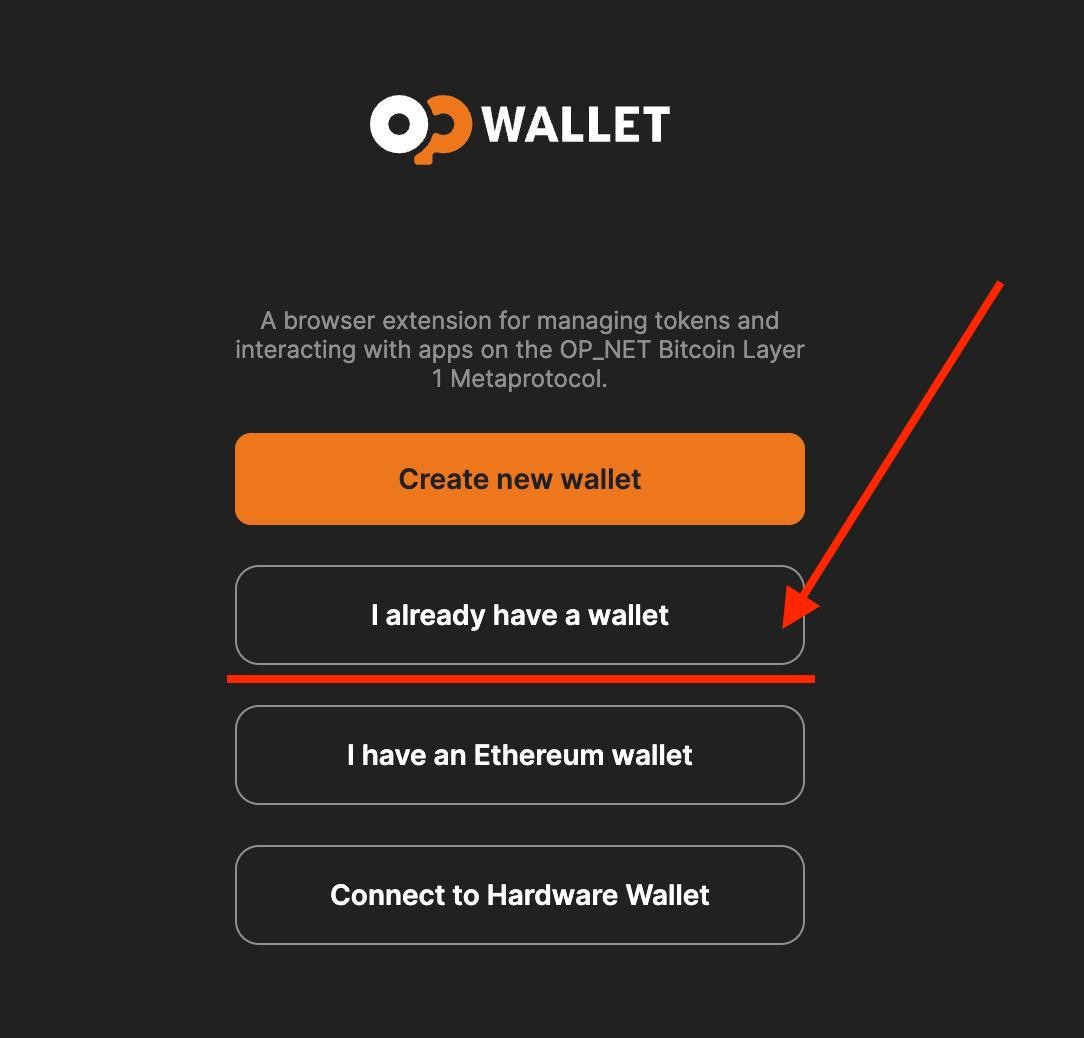
Select I alraedy have a wallet

Enter your seed phrase ⚠️ To avoid errors, it is important to enter each word manually, not by copying and pasting.

Step 3. Select a derivation path
After importing the seed phrase, you will see 4 derivation path options.
Each path creates a different wallet, even with the same seed phrase.

Step 4. Switch the network


Step 5. Check the address type

Select each address type one by one
Refresh page and try logging in to the portal again
💡 In most cases, Taproot is the correct address type


Step 6. If it still doesn’t work
If none of the address types work:
- go to STEP 1 - Delete the wallet
- Clear history and cache again
- Start the import process from the beginning
- At Step 3, select the next derivation path
- Repeat Steps 4–5
Derivation Path → Address Type → Login
until you find the wallet that successfully logs in to the portal.
