Making an anonymous router
The whole assembly consists of a laptop + a router.
The laptop has a software router and the router is the hardware which distributes the internet via Wi-FI or Ethernet cable.
For example I will take a xiaomi nano router (it's small, USB powered and can be router both WiFI and Ethernet).
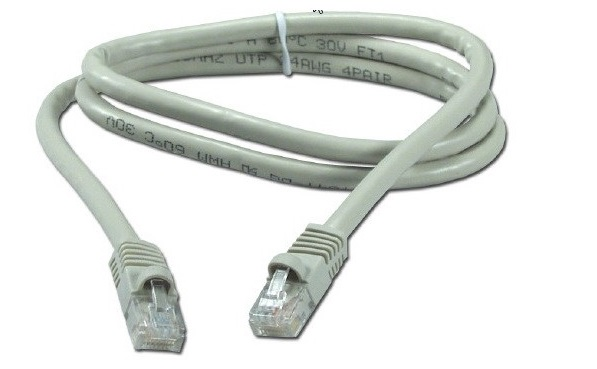
We also need an Ethernet cable to connect this router to the laptop
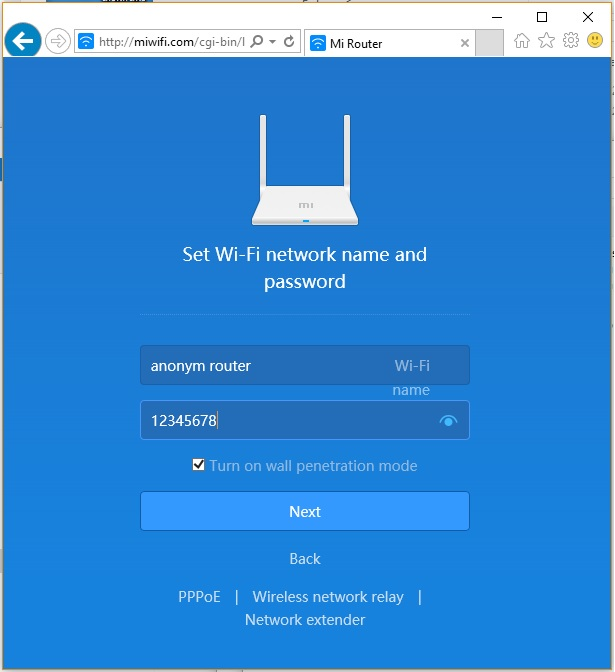
1. Standard actions for any router: Press Reset on the router itself to reset everything to factory settings. Connect via default Wi-FI network to the point and set the Wi-Fi network name and password.
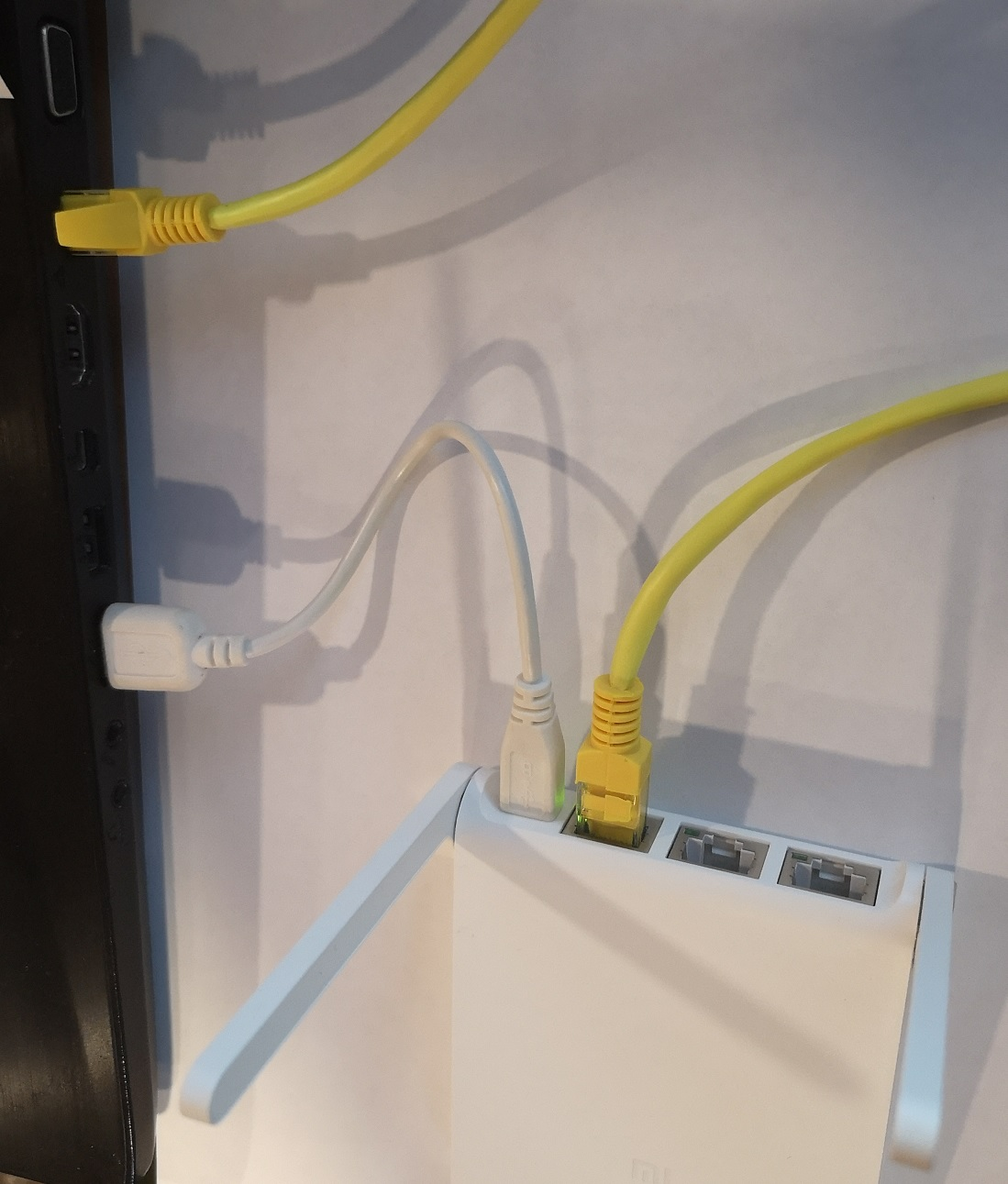
2. Now I connect it all to (computer/laptop)
3. Software Part: The software that will distribute (anonymous Internet to our router)
Double SSH Tunnel Manager
4. Download Double SSH Tunnel Manager, unzip it and run it.

The program will prompt you to install the Virtual Adapter, agree. After that you will have about the following picture in the list of adapters.
5. Then uncheck these two adapters
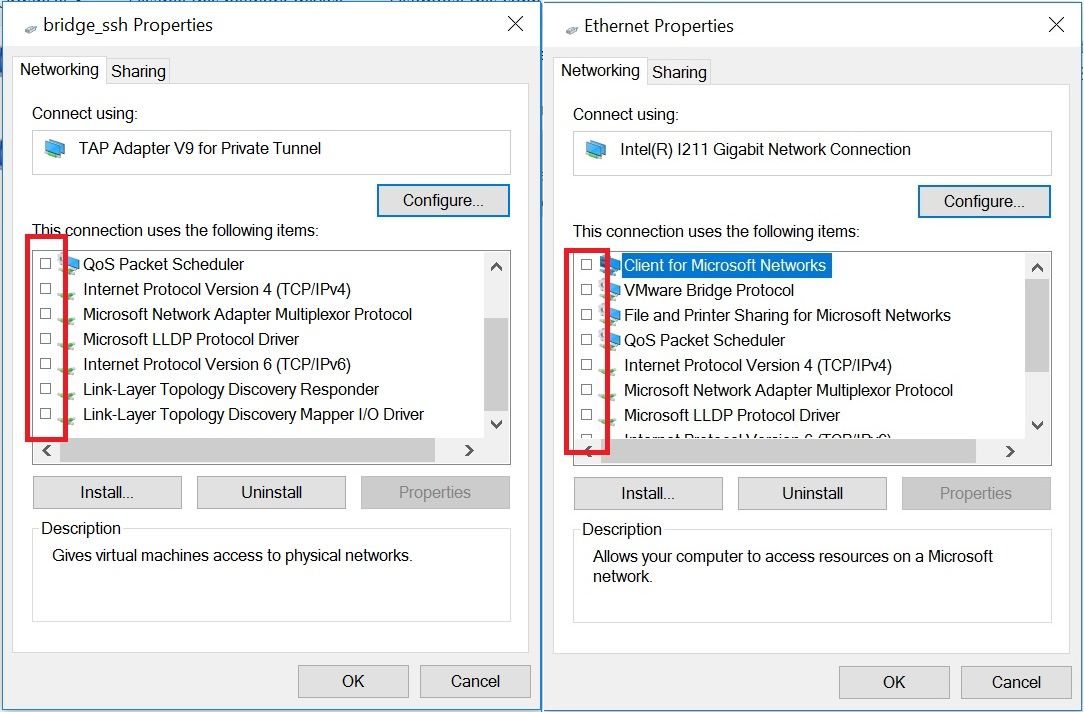
6. Now we need to combine these two adapters into a bridge and configure this bridge by unchecking IP4 and IP6
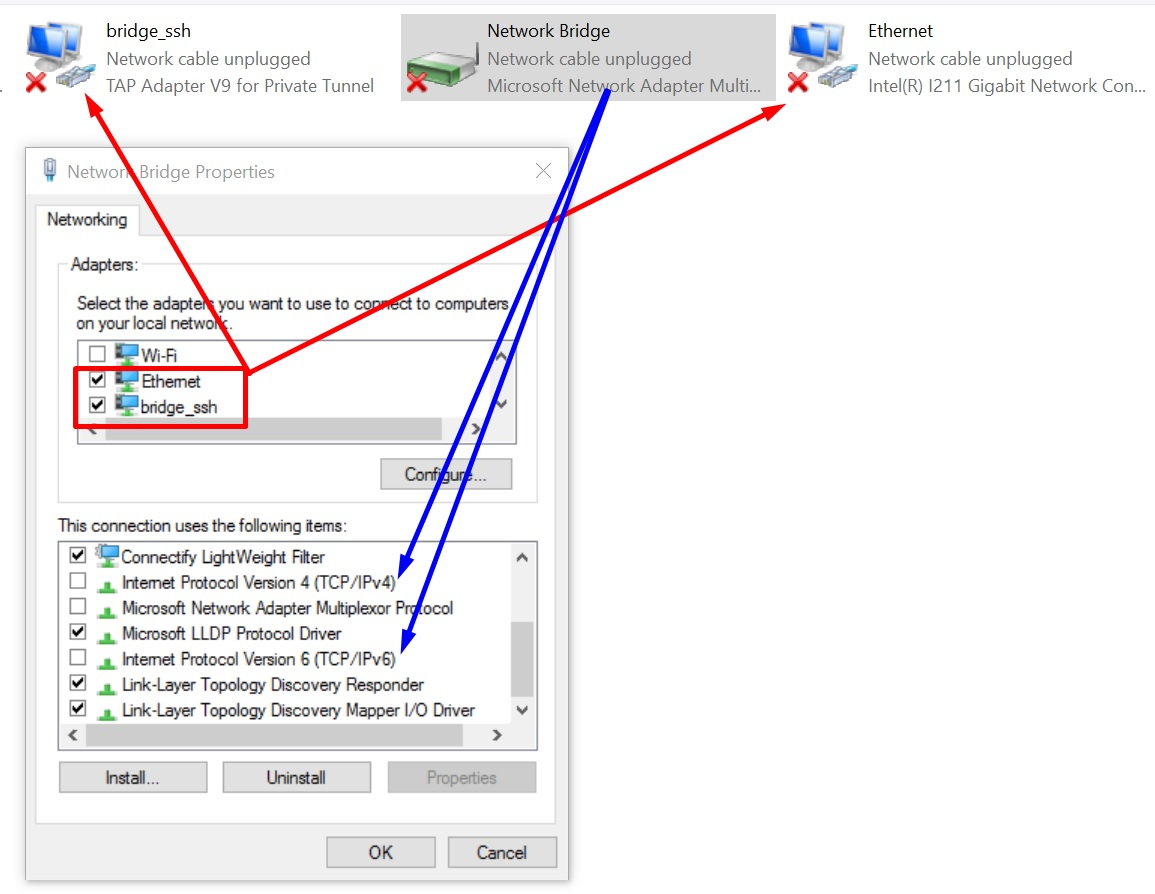
That's all! The settings are finished after connecting to the anonymous network everything will be distributed through our router.
Answers to questions:
- How to connect Socks5, SSH, Socks5 Back-connect, TorOnionSocks, LocalSocks5, ShadowSocks?
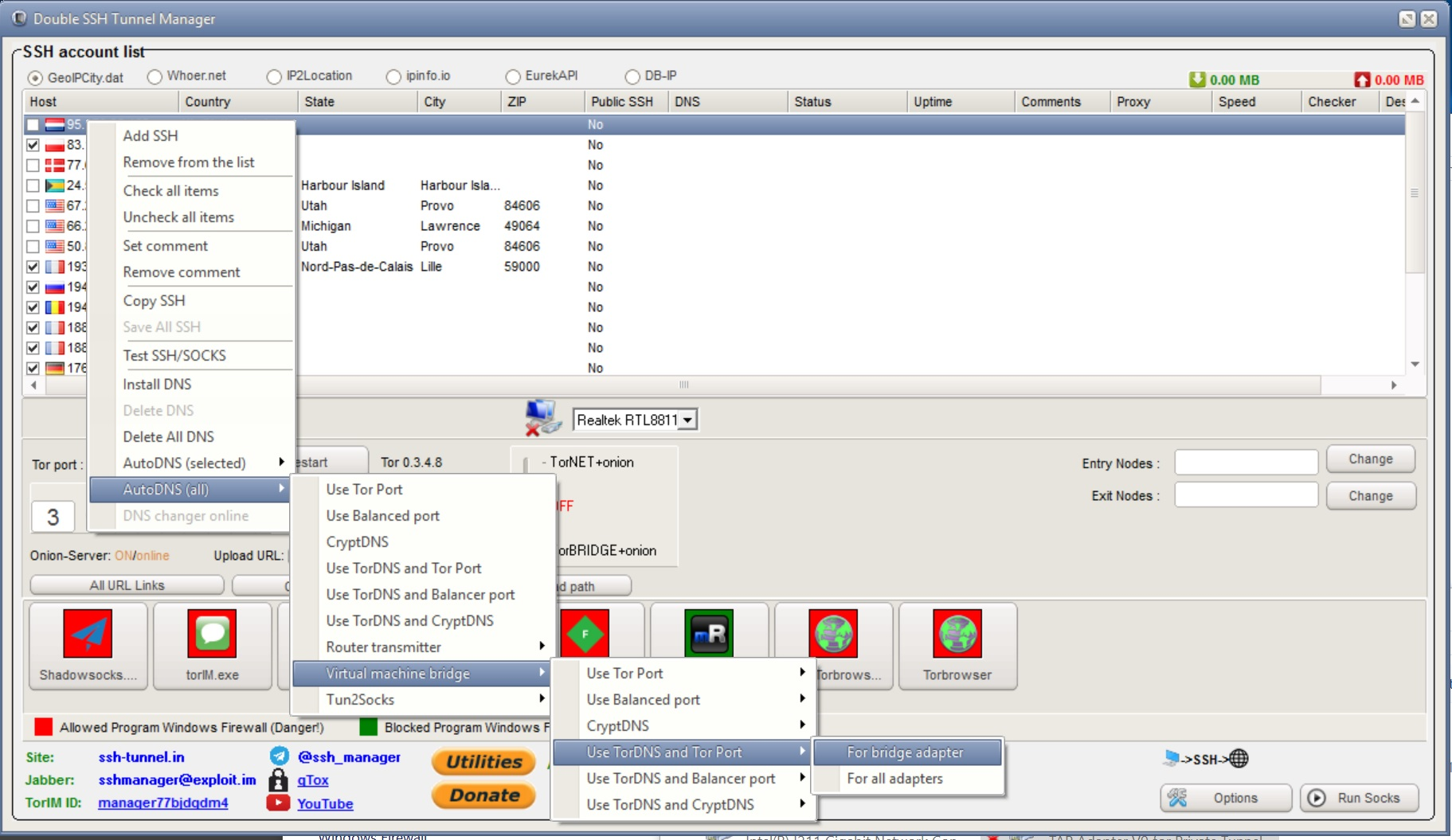
- What WebRTC will be displayed on whoer.net and similar sites?
- Any out-of-the-box browser will show WebRTC of your Socks or SSH.
- The 2ip.ru site detects a ping and says it is a tunnel or proxy?
- Some sites may detect you by the time delay. To avoid this, use the function AntiPing (AntiPing slows down, so do not forget to return the slider to its original position).
- What kind of anonymous network can I connect to?
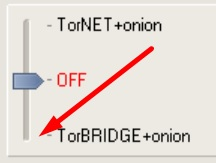
- The easiest thing is to connect the TOR network for this manager must be connected to the Tor network and you need to point the slider down.
- Is it possible to use different chains of connections?
- You can connect Tor, Socks5, SSH, Socks5 Back-connect, LocalSocks5, ShadowSocks as the first connection, as the second chain to use ssh, socks5.
- Yes, you can. To do this in the program, use the VPN monitor, there you will need to enter the IP of your VPN.
- I did all the settings correctly, but after connecting it says "Unidentified network"
- You need to check all the settings again, and then be sure to restart the OS.