June 6, 2025
Guide to creating and using virtual cards in MaxSwap
Special offer for FORSAGE & ForTON members: $2.5 cashback when ordering a Virtual Card
Sign up: https://analytics-maxswap.com/FdpHqrWm
Payment for services and more
With MaxSwap virtual cards, paying for any online services and purchases becomes easier and safer. You can create a card directly in Telegram, top up its balance and use it for payment without disclosing your main bank card details.
1. Launch the bot
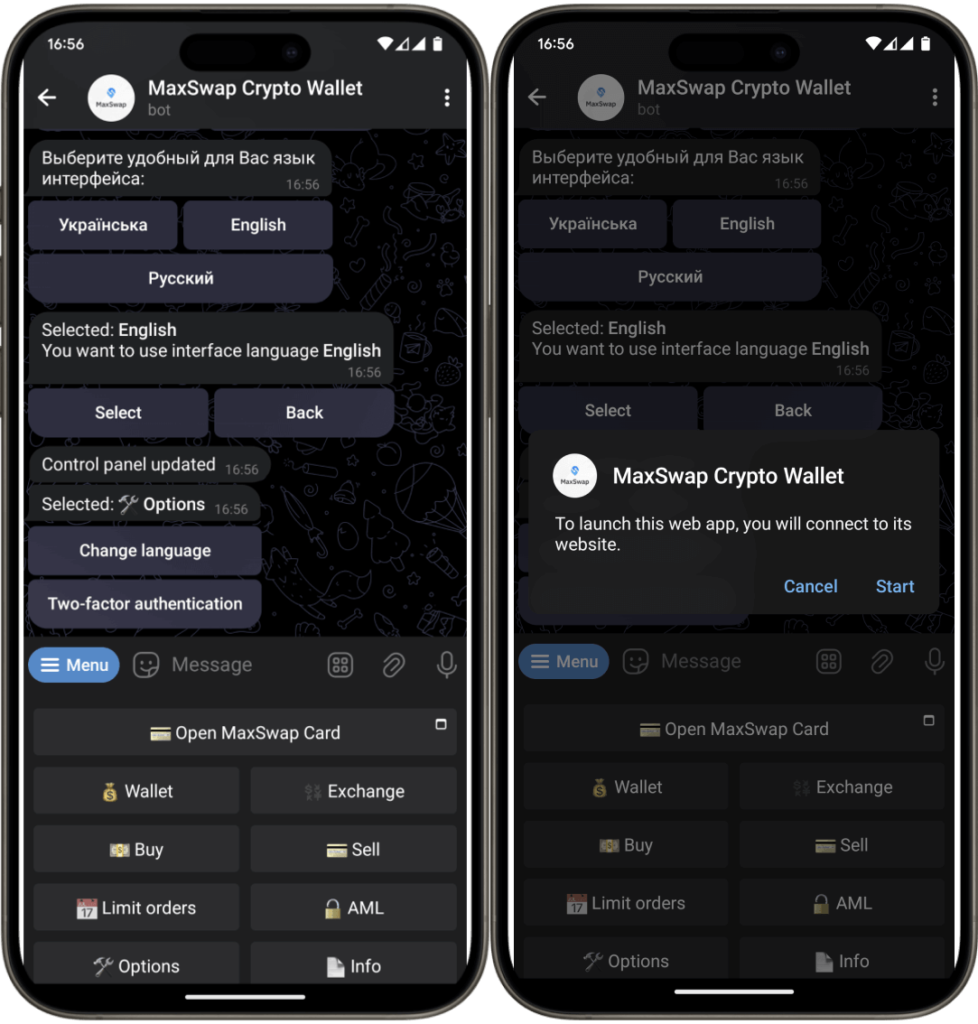
2. Go to the section “Create MaxSwap card”
- In the welcome message, find and click the “Open MaxSwap Card” button
- When prompted to open the web application, click “Start”
3. Creating and replenishing a virtual card
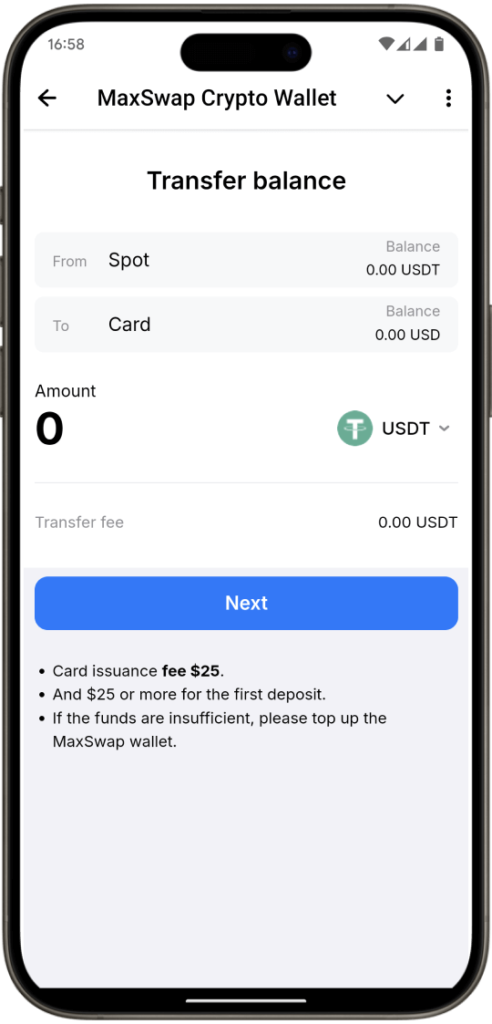
- After the web application opens and the first screens introduce you to the benefits of the card from MaxSwap, you will be asked to create a card, pay $25 + make a first deposit of at least $25
- Enter the desired top-up amount in USD.
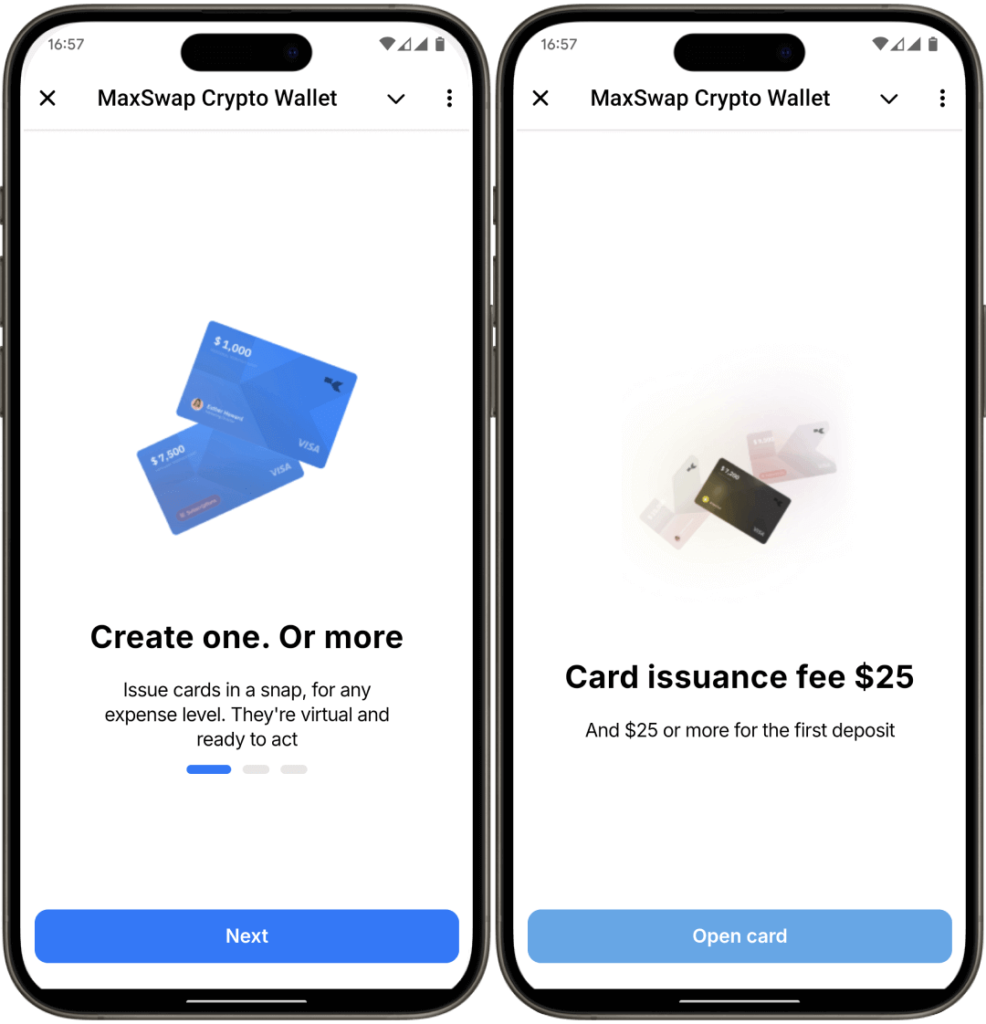
- Important: Please take into account possible fees when paying and converting currencies.
- The system will automatically calculate the replenishment amount taking into account the commission.
- Select from which crypto wallet in the MaxSwap system you want to pay for the operation
4. Linking a card to Apple Pay
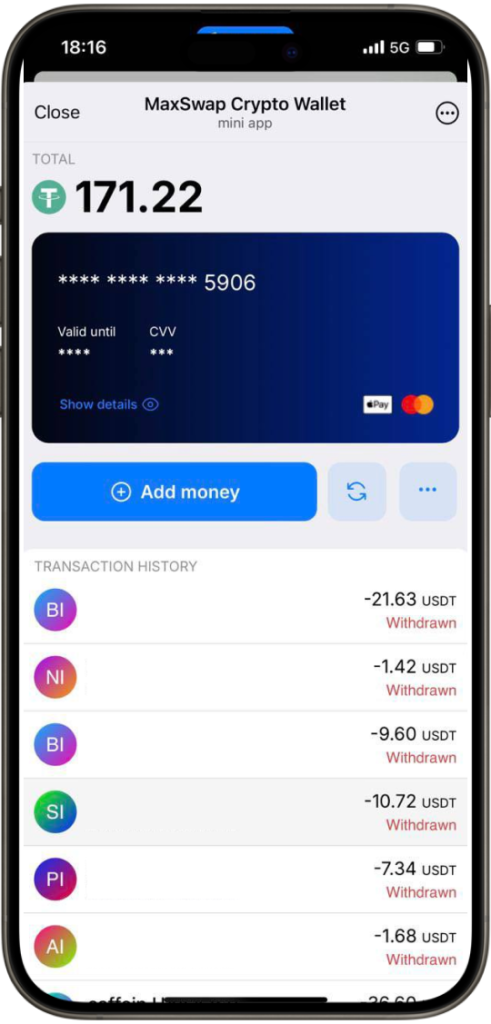
5. Using the card
Advantages of MaxSwap virtual cards
- Security: Your core banking details remain private
- Convenience: One-touch payment using your smartphone
- Accessibility: Pay with virtual card in any convenience store
- Global access: Use your card anywhere Apple Pay is accepted
Start enjoying all the benefits of MaxSwap today!
Commissions and limits
Limits
Transaction limits:
Single transaction – 50,000
Daily transaction – 200,000
Monthly transaction – 2,000,000
Cumulative transaction – 2,000,000
June 6, 2025, 14:29
0 views