Create your Telegram stickers with just your phone and 3 bots in under 15 minutes 😃
The article is created by the editorial staff of Hi, Ai! with the @GPT4Telegrambot support.
Any Telegram user can upload stickers to share with friends, colleagues, or anyone they want. Thanks to AI and Telegram bots, you don't even need design skills to do this. All you need is your phone and 15 minutes of your time.
Step 1 — Come up with an idea
First, we need an idea for our sticker pack. We decided to generate cute yellow robots that express various emotions: surprise, contemplation, joy, and more.
Step 2 — Create images
To implement our idea, we opted not to hire a designer and instead used @GPT4Telegrambot, which offers access to the most popular image-generating neural network — Midjourney.
Tips for using Midjourney >
We send the command /imagine and prompt to create the desired image.

The bot generates 4 image options based on our prompt. We can upscale the ones we like or ask for more variations.
We like the style, so we use the same prompt and only change its emotions to get a family of similar robots. This way, we generated 40 images, selected and downloaded 5 for the sticker pack.
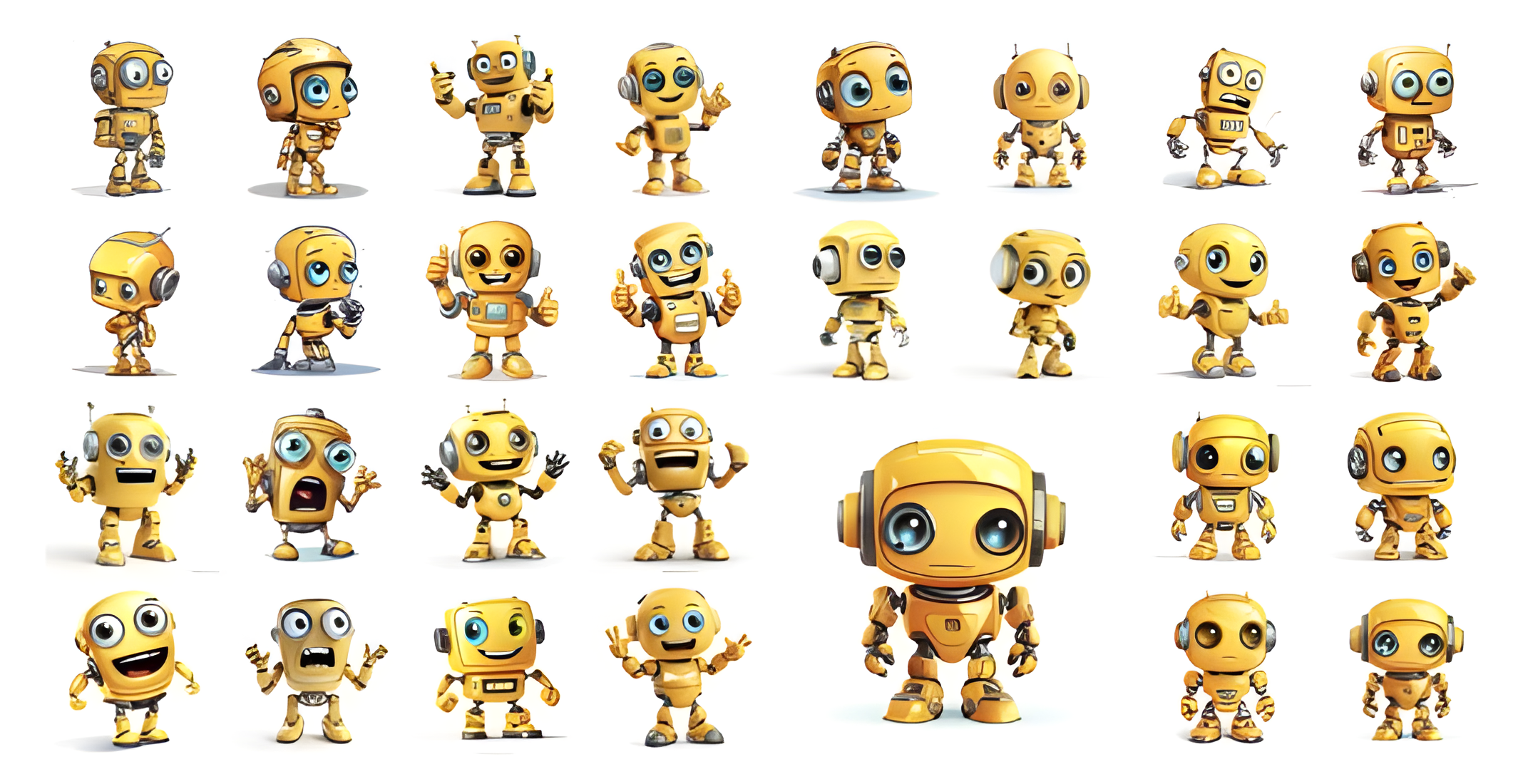
You can skip this step if you don't need generated images and want to use photos or ready-made images.
Step 3 — Edit the images
Once we have the images we want to use in the sticker pack, we need to prepare them for uploading to Telegram.
For a sticker pack, the images must meet the following requirements:
- Size: 512x512 pixels
- Format: PNG or WebP
- Transparent background (preferred but not mandatory)
- White outline (preferred but not mandatory)
@GPT4Telegrambot produces images of the proper format but larger — they need to be reduced. This can be done using graphic editors like Photoshop or Figma. But we love bots, so we chose a more convenient way — Sticker optimizer bot. You can upload an image to it, and it will output an optimized version for a sticker for free.

Download the reduced images. All that's left is to add them on Telegram.
Step 4 — Create a sticker pack on Telegram
You can add a sticker pack to Telegram through the official bot — Stickers. It's free, available to everyone, and creates standard stickers, animated ones, video stickers, and emojis.
The process of working with the bot is simple:
- Start a dialogue and send the command /newpack. The bot will ask for the name of your sticker pack – provide it.
- In the following message, the bot will request the file of the first sticker. Click on the paperclip icon, select the optimized image, and press "Send as a file."
- Next, send an emoji to the bot that corresponds to your image.

- Repeat the last two steps for the remaining stickers.
- Send the command /publish to publish your sticker pack.
- The bot will then offer you to choose a cover for your sticker pack. You can skip this step, and the bot will automatically set any sticker from the set as the cover.
- Finally, you must specify a short name in Latin characters, which will be used in your set's URL.
That's it! The main process is complete 🥳
Our sticker set is successfully published and available to all users here: https://t.me/addstickers/yellow_AI

The Stickers bot has many features for managing your sticker pack. For example, you can add or remove stickers, get viewing statistics, change the cover, and the link.
Now you know how to create your stickers on Telegram with just a phone and three Telegram bots in 10 minutes 👍🏼
You'll find more instructions on working with neural networks and news about artificial intelligence on the Hi, Ai! Telegram channel 🔗