Belo Bank Instruction
Наши ссылки || Our links: https://t.me/shadyshop_news / https://t.me/shadyshoplzt_bot
- Скачиваем приложение с App Store / Play Market || Download the application from the App Store / Play Market
- Заходим на почту которую вам выдали || Go to the post office you were given
- Авторизируемся в Belo App на вашем устройстве без VPN через почту в которую вы зашли || Authorize to the Belo App on your device without a VPN through the email you logged into
- Активация карты || The activation of the card
4.1 Находим эту кнопку и нажимаем ||Find that button and press it
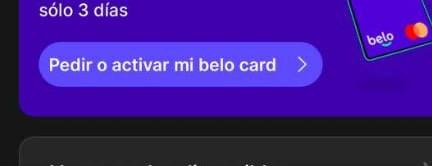
4.2 Заходим в Tarjetas virtuales и нажимаем activar tarjeta virtual , и вуаля у вас теперь есть карта || Go to Tarjetas virtuales and click on activar tarjeta virtual, and voila you now have a card.

Если на этом моменте у вас все получилось то перелистывайте на пункт 5, если нет то читайте инструкцию по заполнению в случае если высветилось это , то листаем дальше || If at this point you have everything worked out, then scroll to point 5, if not, then read the instructions for filling in the case if this is displayed, then scroll further.

4.3 Нажимаем continuar и выбираем то что я выделил красным || Press continuar and select what I've highlighted in red.


4.4 Дальше у вас будет такое || Next thing you know, you'll have

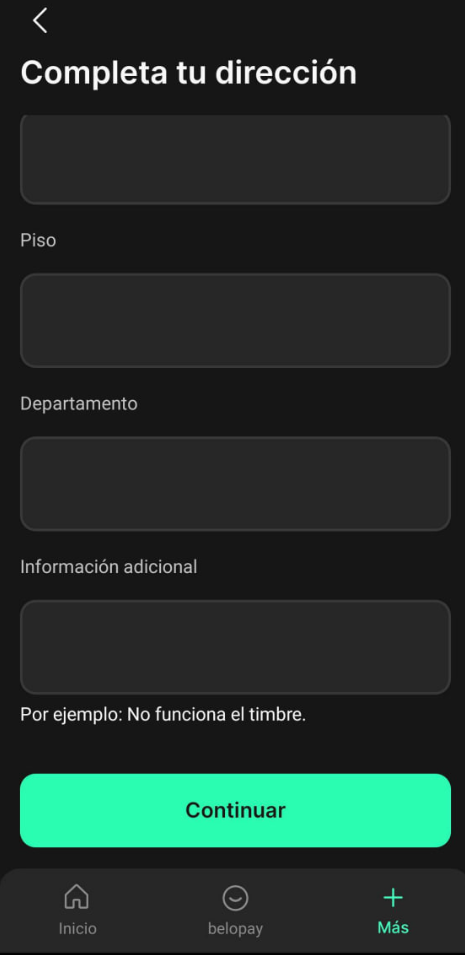
Для заполнения этих строк берем информацию отсюда | | To fill in these lines, we take the information from here -https://www.fakexy.com/fake-address-generator-ar

После запросит номер телефона , переделываем этот номер изменяя последние 4 цифры на любые вами придуманные +5493777588145 || After asking for a phone number, we remake this number by changing the last 4 digits to any you can think of +5493777588145.
5. Ставим 2фа и меняем пинкод | | Set 2fa and change the pin code.


6. Последний шаг - добавьте 2FA и измените пароль от почты || The last step is to add 2FA and change your email password