Automating Bot Deployment
The essence of the problem:
Deploying accounts for the hand bot can be automated. The main problem with quickly launching 10-20 windows simultaneously is that each window requires entering login credentials. For 10-20 windows, this is a routine operation and can be automated.
If you run the DLS PC client in an isolated sandbox-type environment (not to be confused with a virtual machine), you can run multiple games simultaneously, each with its own launch parameters , which will be saved .
How to launch and what to do
1) Install Sandboxie from the Sandboxie Tools tab

For Windows 11 versions, you must select version 5.71.2;
For Windows 10 versions, you must select version 5.66.4 and below.
When installing Sandboxie, remember the path you selected in this installation window.

2) Launch the installed Sandboxie and configure the default container settings (right-click on Sandbox DefaultBox)

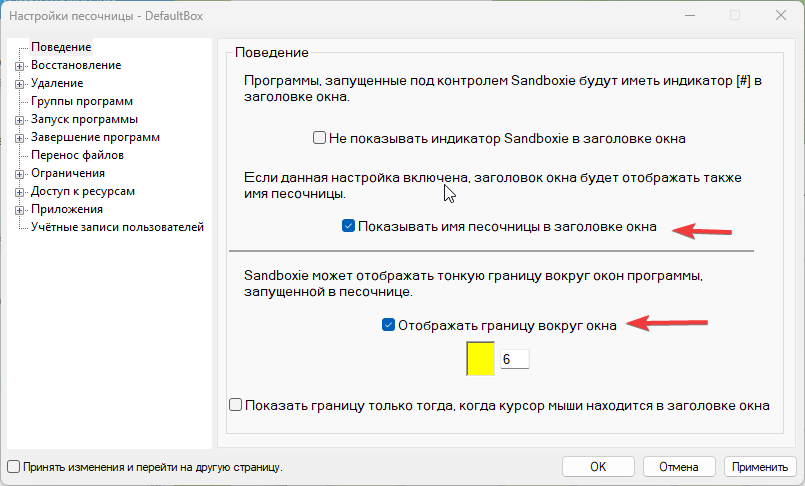
3) Create containers for the game windows using the settings from the DefaultBox container. The container name should be <container_name>xx, where xx is a number from 01 to 99.
For example: Farm01, Farm02, etc.
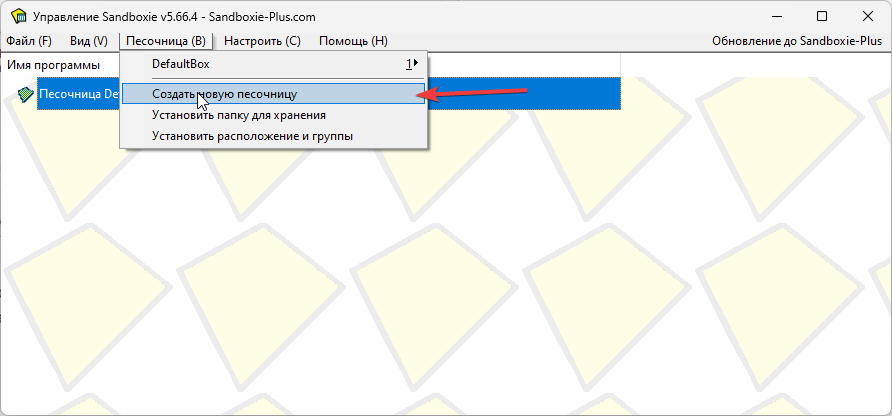

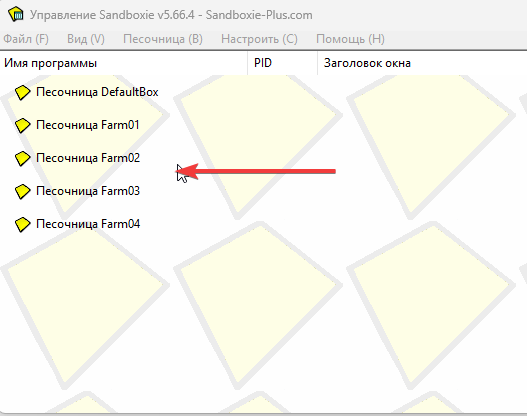
4) Next, we configure the autostart of windows in the GUI
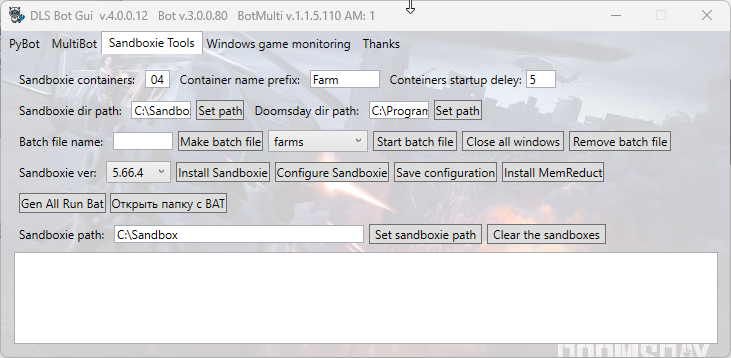
- Sandboxie containers (Farm01-Farm04) - 04
- Container name prefix (Farm01-Farm04) = Farm
- Sandboxie dir path = C:\Sandboxie\Start.exe
- Doomsday dir path = C:\Program Files (x86)\Doomsday\DoomsdayLastSurvivors.exe
- Batch file name = farms (for example)
Next, click "Make batch file" and then "Start batch file". All sandbox containers will launch with the "Containers startup delay" timeout , automatically changing the resolution of each window to 300x200. Next, log in to the desired game account once in each of them. The delay window startup timeout should be chosen so that the game window has time to fully load within the timeout.
Additional tools:
To optimize memory consumption on your PC, you can install the MemReduct program from the GUI.

You can use the "Clear the sandboxie" command to periodically clear the sandbox manually . This will preserve the credentials of accounts within the sandboxes. Clearing a large number of sandboxes can take considerable time .